Installation
Free portable apps
All software on this website is available as freeware . Except for the UWP and mobile apps, all applications are available as portable apps without an installation package. After extracting the downloaded files, the software is ready to use. Some applications cannot be run from a read-only location, and some require administrator rights..NET Desktop Runtime
For recent Windows applications, I chose to build small executables without including the .NET components. The advantage is that you only need to install the .NET Desktop Runtime once, and it will be used by all applications that depend on it. If necessary, you will be prompted to install the required .NET Desktop Runtime when you start the app.Microsoft Defender SmartScreen
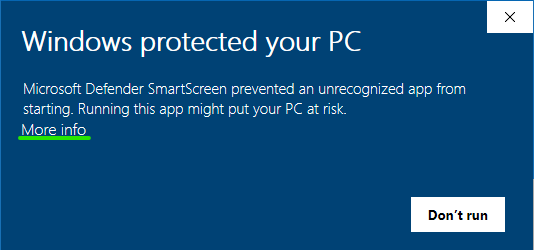
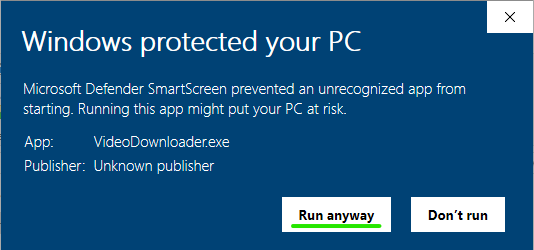
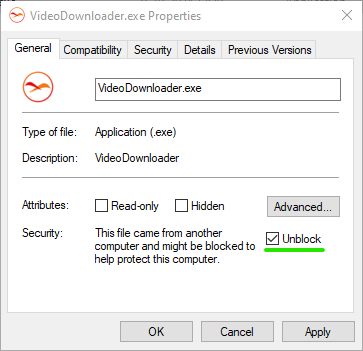
Usually, I make updates available directly on this website. I also submit new releases to Microsoft for analysis. New or updated applications may initially have insufficient reputation with Microsoft Defender SmartScreen, so Windows may display a warning and prevent the app from starting.If you see the message "Microsoft Defender SmartScreen prevented an unrecognized app from starting." you can click "More info" and then "Run anyway". Alternatively, open the properties of the .exe file and select the "Unblock" checkbox.
Other antivirus and antimalware software
My software may be blocked by other antivirus and antimalware software. You should always be careful when downloading software from the Internet. If you downloaded the software directly from this website and trust the source, you can choose to allow it.